
Whether you’re working from home or in a traditional office, creating a workspace that supports good posture and prevents strain is crucial for maintaining comfort and health. Poor ergonomics can lead to a lot of issues, including back pain, neck strain, and repetitive stress injuries. Let’s dive into the essential elements of ergonomics and provide practical tips for setting up an office that supports your well-being.
Understanding Ergonomics
Ergonomics is the science of designing the workplace environment to fit the user’s needs and capabilities. The goal is to enhance comfort and productivity while reducing the risk of injury. An ergonomic workstation allows you to work efficiently without straining your body, promoting a healthier and more sustainable work routine.
The Key Elements of an Ergonomic Workspace
- Chair Design and Adjustment
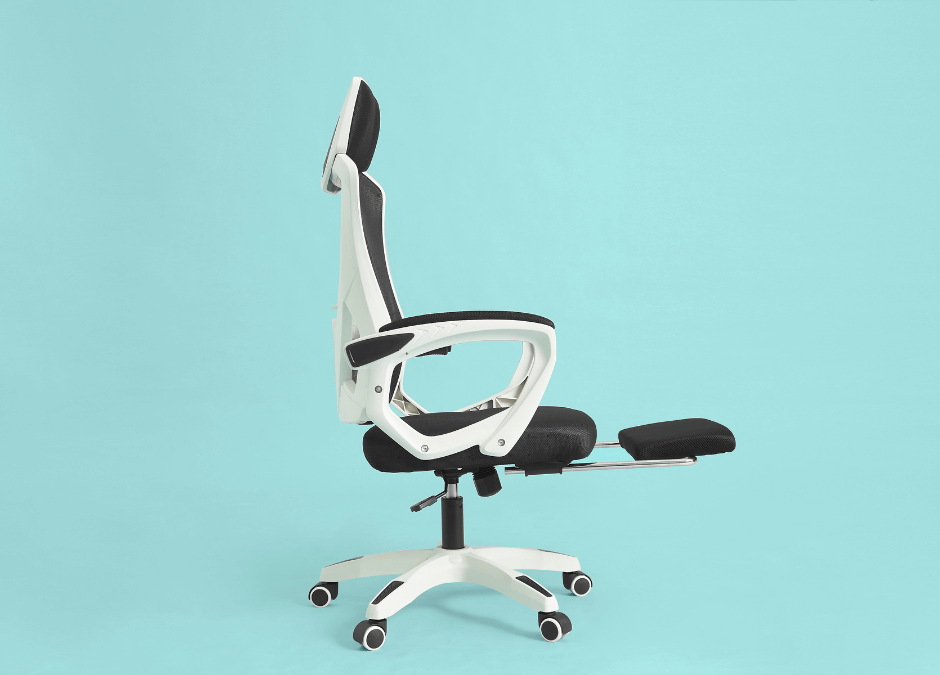
Your chair plays a significant role in your overall comfort. An ergonomic chair should support your lower back, encourage good posture, and be adjustable to fit your body. Here’s what to look for:- Adjustable Height: Your chair should allow you to adjust the seat height so that your feet are flat on the floor and your knees are at a 90-degree angle.
- Lumbar Support: Ensure your chair has good lumbar support to maintain the natural curve of your lower back. This reduces strain on your spine and helps prevent back pain.
- Seat Depth and Width: The seat should be deep enough to support your thighs without cutting off circulation. Adjust the depth so you can sit back comfortably with a small gap between the back of your knees and the edge of the seat.
- Armrests: Armrests should be adjustable to support your elbows comfortably while keeping your shoulders relaxed.
- Desk Height and Arrangement
Your desk setup can influence your posture and overall comfort. Here’s how to optimize your desk for ergonomic use:
- Desk Height: Your desk should be at a height where your elbows are bent at approximately 90 degrees when typing. Your wrists should remain in a neutral position, not bent up or down.
- Monitor Position: Position your monitor so that the top of the screen is at or slightly below eye level. The screen should be about an arm’s length away to avoid eye strain. Use a monitor stand if needed to achieve the correct height.
- Keyboard and Mouse Placement: Your keyboard should be directly in front of you, with your hands comfortably hovering over the keys. Keep your mouse close to the keyboard to minimize reaching. An ergonomic keyboard and mouse can also help reduce strain.
- Desk Accessories: Consider using ergonomic accessories such as a wrist rest, a footrest, or a document holder to further support your posture and reduce strain.
- Posture and Alignment
Good posture is essential for preventing strain and discomfort. Follow these tips to maintain proper alignment:
- Sit Back in Your Chair: Ensure your back is fully supported by the chair’s backrest. Avoid slouching or leaning forward, as this can strain your back and neck.
- Feet Flat on the Floor: Keep your feet flat on the floor or on a footrest. Avoid crossing your legs, as this can disrupt circulation and lead to discomfort.
- Maintain a Neutral Spine: Your spine should maintain its natural curve. Avoid hunching over or leaning forward, and make adjustments to your chair and desk to support this posture.
- Lighting and Screen Use
Proper lighting and screen use can reduce eye strain and improve your overall comfort:
- Lighting: Use adequate lighting to reduce glare on your screen. Position your desk lamp to illuminate your work area without causing reflections. Natural light is ideal, but if not possible, choose a light source that mimics daylight.
- Screen Brightness and Contrast: Adjust your screen’s brightness and contrast to match your ambient lighting. This can help reduce eye strain and make it easier to view content on your screen.
- Breaks and Movement
Even with an ergonomically designed workspace, it’s essential to take regular breaks and incorporate movement into your day:
- Take Regular Breaks: Follow the 20-20-20 rule: every 20 minutes, take a 20-second break and look at something 20 feet away. This helps reduce eye strain and gives your body a chance to stretch.
- Incorporate Movement: Stand up, stretch, and move around every hour. Simple stretches or brief walks can help prevent stiffness and improve circulation.
- Adjustable Equipment: If possible, use adjustable desks or sit-stand workstations that allow you to switch between sitting and standing throughout the day.
How Physiotherapy Can Help
Even with the best ergonomic setup, you might still experience discomfort or pain from prolonged sitting or poor posture. This is where physiotherapy can be particularly beneficial.
A physiotherapist can assess your workstation setup to provide personalized recommendations for adjustments, ensuring that your environment supports your well-being. Additionally, they can develop a tailored exercise plan designed to strengthen the muscles, improve flexibility, and support good posture, which helps mitigate the effects of long periods of sitting.
Physiotherapists also offer manual therapy techniques, such as massage, joint mobilization, and stretching, to alleviate pain and reduce tension. By addressing both the physical and ergonomic aspects of your work life, physiotherapy helps you achieve a more comfortable and sustainable work routine.
If you have any questions about setting up your workspace or need help with posture-related issues, our team is here to help! Book an appointment with us today by calling 416 207 9395 or visiting https://lifeforcephysio.com/ to ensure your workstation is optimized for comfort and health.
